Guide/Part Three · Structure a manuscript
Page layout & orientation
Set the paper size, margins, and default indent for the whole document.
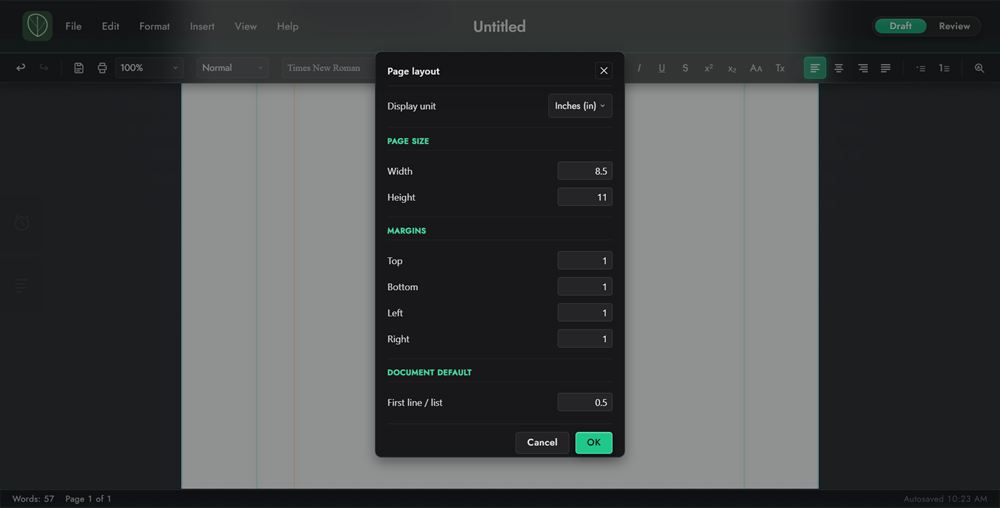
- In Draft, choose Format ▸ Page Layout.
- Set the page size (Width and Height), the four Margins, and the default first-line indent (First line and lists, under Default indent). Live preview guides appear behind the dialog.
- Switch the Units (in / cm / mm / pt / px) if you prefer, then click Apply.
For orientation, choose Format ▸ Page Orientation ▸ Portrait or Landscape. The page swaps its width and height and rotates the margins with it.