Guide/Part Six · Review & edit
The Review workspace
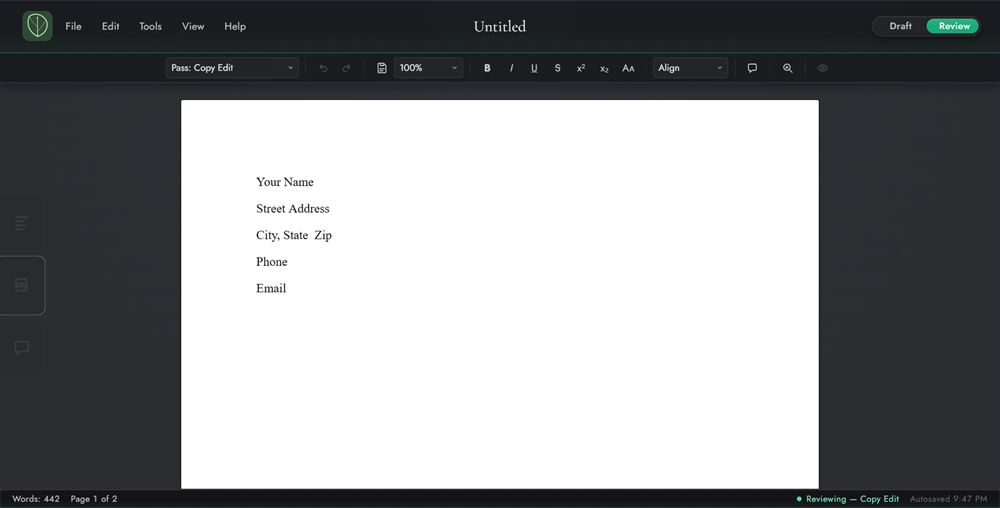
Switch to Review and the tools change from producing prose to evaluating it.
- Toolbar: a pass selector, mark-suggestion buttons, an alignment dropdown, Add Comment, Find, and the View as if accepted eye.
- Edge tabs: Navigation, Edit Passes, and Comments.
- Status bar: an outstanding-work count (comments · suggestions) and a role indicator: Reviewing, Suggesting, or Viewing.
Note
On a review copy, the toolbar has no pass selector and there's no Edit Passes tab. The copy holds a single pass, and its name shows under the document title.