Guide/Part Seven · Collaborate with an editor
Send your work to an editor
Package a review copy of your manuscript, with a new pass for your editor, as one .glasspack file.
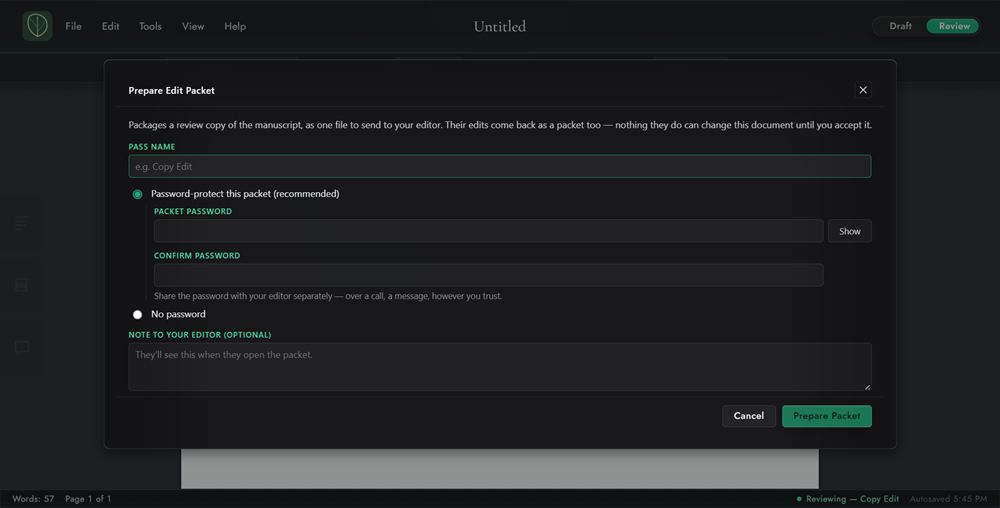
- In Review Mode, choose File ▸ Prepare Edit Packet, or click Prepare an edit packet in the Edit Passes panel.
- Name the pass, choose protection, and add an optional note. Password (recommended) asks for the password twice, in Packet password and Confirm password. No password isn't available if your document is itself password-protected.
- Click Prepare packet, save the
.glasspack, and send it to your editor however you'd send any file.
Warning
If you password-protect the packet, share the password with your editor separately, never in the same message as the packet. Don't reuse your document's own password.
Note
Your document keeps working normally. The sent pass appears in the Edit Passes panel marked “awaiting return,” with a Withdraw button. If you withdraw it, a return from your editor won't merge into the document.